Find out how C4000 helps in Outgrown your First Label Printer
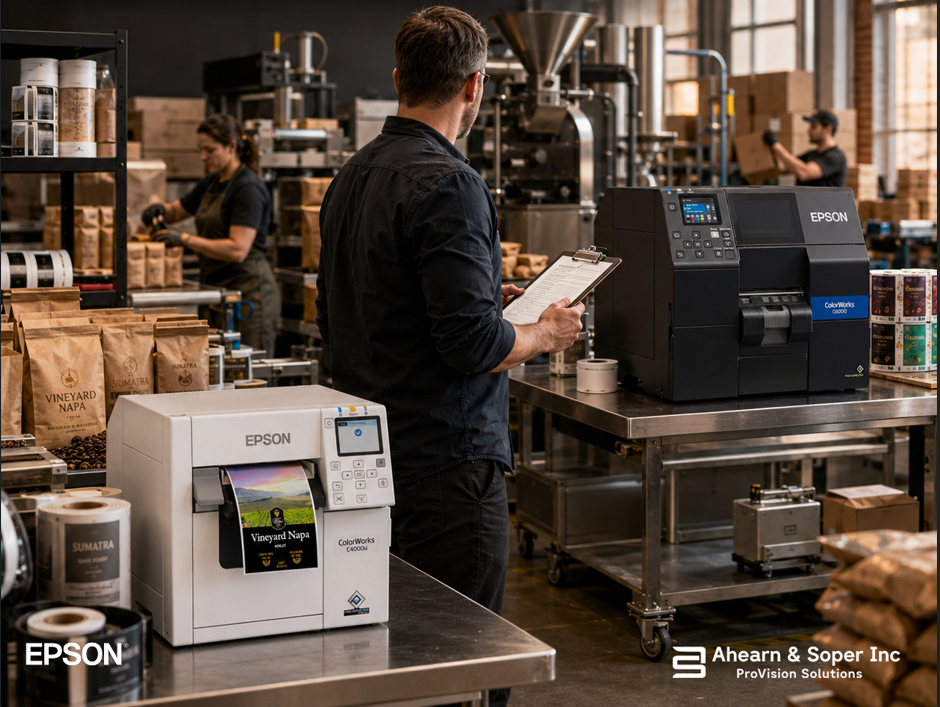
There's a good problem hiding in this scenario: your roastery is busier than it used to be. The wholesale accounts you signed after reading about on-demand labeling are now ordering weekly instead of monthly. Your subscription list has grown past what you were running when you first brought labeling in-house. The C4000 that once felt like more capacity than you'd ever need is now running for hours a day, every day.
That's not a sign something went wrong. It's a sign the printer did exactly what it was supposed to do, it removed the labeling bottleneck long enough for the rest of your business to grow past it. The question now isn't whether the C4000 was the right first printer. It's whether it's still the right printer for where you are now.
The Epson ColorWorks C4000 is built for small to medium-volume users who prioritize flexibility and print quality over raw speed which makes it the right entry point for exactly the reasons covered earlier in this series: low minimum commitment, full color, no minimum order quantities, and enough throughput to handle a growing but not yet high-volume operation. It's specifically designed for small to medium-sized businesses with moderate label printing requirements, with a userfriendly interface and compact footprint that suits businesses new to in-house label printing.
Nothing about outgrowing that is a design flaw. It's the printer having done its job, proving the ondemand model works, building the habit of print-on-demand into your operation, and buying you the runway to figure out what higher volume actually looks like for your business before committing to bigger hardware.
1. The printer is running most of the day, not in short bursts. A C4000 sized for a moderate daily volume starts to show its limits when it's in near-continuous operation rather than short scheduled print runs between roasting and packing.
2. Cartridge changes are becoming a routine interruption. The C4000 uses standard-capacity ink cartridges, while the C6000/C6500 series is designed for higher-volume printing with larger ink cartridge capacities, which means longer intervals between changes and less hands-on maintenance time as volume climbs. If you're swapping cartridges multiple times a week, that's a direct, countable sign of outgrown capacity.
3. Print speed is now the bottleneck, not roasting or packing. The C4000 prints at up to 3.94 inches per second, while the C6000 reaches 5 inches per second, about 27% faster. That gap is barely noticeable on short runs. On a full day of wholesale orders, it adds up to real time.
4. You're printing labels, then applying them by hand, at growing volume. The C6000A/C6000P was the first color inkjet label printer in the Epson lineup to offer a peel-and-present option, letting labels come pre-peeled and ready to apply, a meaningful efficiency gain once manual label application starts to slow down your packing line.
5. You're ready to automate part of the labeling step. The C6000 adds a general-purpose I/O port for workflow automation integration that the C4000 doesn't have, relevant if labeling is starting to connect to other automated steps in your packing process rather than standing alone.
6. You're running both gloss and matte jobs regularly and tired of managing it manually. The C6000 adds automatic black ink switching between gloss and matte based on the loaded media, a convenience that matters once you're regularly alternating between label stocks rather than running one consistent media type.
If two or three of these sound familiar, it's worth running the numbers on a C6000.
The reassuring part of this transition is how much stays the same. The C4000 and C6000 share the same 1200 x 1200 dpi PrecisionCore resolution, the same 4.25-inch print width, ZPL II support, BS5609 GHS certification, and UltraChrome DL pigment ink. Your label designs, your complianceready media, and your print quality don't need to be rebuilt from scratch, the C6000 is a throughput and automation upgrade, not a different labeling philosophy.
Both printers are fully compatible with the same label design software, so the templates, variable data workflows, and SKU library you built on the C4000, the six product lines running through one shared system, carry over directly. You're not starting over. You're scaling the same system you already trust.
Not every growing roastery needs to jump straight to the top of the ColorWorks line. The C6000A sits as a mid-point between the C4000 and the higher-volume C6500A worth considering specifically when you need more throughput than the C4000 provides but aren't yet running at the scale that would justify the larger, more industrial C6500 or C8000 models. The C6500 and C8000 are built for more robust manufacturing environments with temperature fluctuations, while the C4000 and C6000 are designed to perform best in controlled, office-like settings, the kind of space most roasteries are packaging in.
In other words: if your roastery has outgrown the C4000 but is still operating out of a converted retail space or a modest production room rather than an industrial facility, the C6000 is very likely the right next step, not a leap all the way to high-volume manufacturing-grade hardware you don't yet need.
The clearest way to know if its time is to look at your printer's actual daily runtime and cartridgechange frequency over the last month and compare it honestly to what it looked like when you first installed it. If the printer that used to sit idle between print jobs is now running through most of a shift, that's not a hypothetical future problem, it's a current one, and the fix is a known, low-risk upgrade rather than a re-evaluation of your whole labeling approach.
Ahearn & Soper Inc. delivers more than the printer itself, expert consultation to identify the right solution for your specific needs, and professional installation and integration with your existing systems, which matters most exactly at this stage: making sure a move to the C6000 preserves everything that's already working and adds only the capacity you actually need.
Wondering whether your roastery has outgrown its C4000? Talk to our team, we'll look at your actual print volume and help you figure out whether the C6000 is the right next step, or whether you've still got runway left.
Browse more practical insights connected to warehouse management, automation, labelling, mobility, and support.