No more label drawers full of obsolete stock. No more waiting three weeks on a reorder. Just labels, printed the day they're needed, at whatever scale the day requires.
The assumption running under most of this series has been a straight line: a roaster starts on a C4000, outgrows it, moves to a C6000, outgrows that, moves to a C8000. Upgrade as a replacement. Old printer retired, new printer takes over.
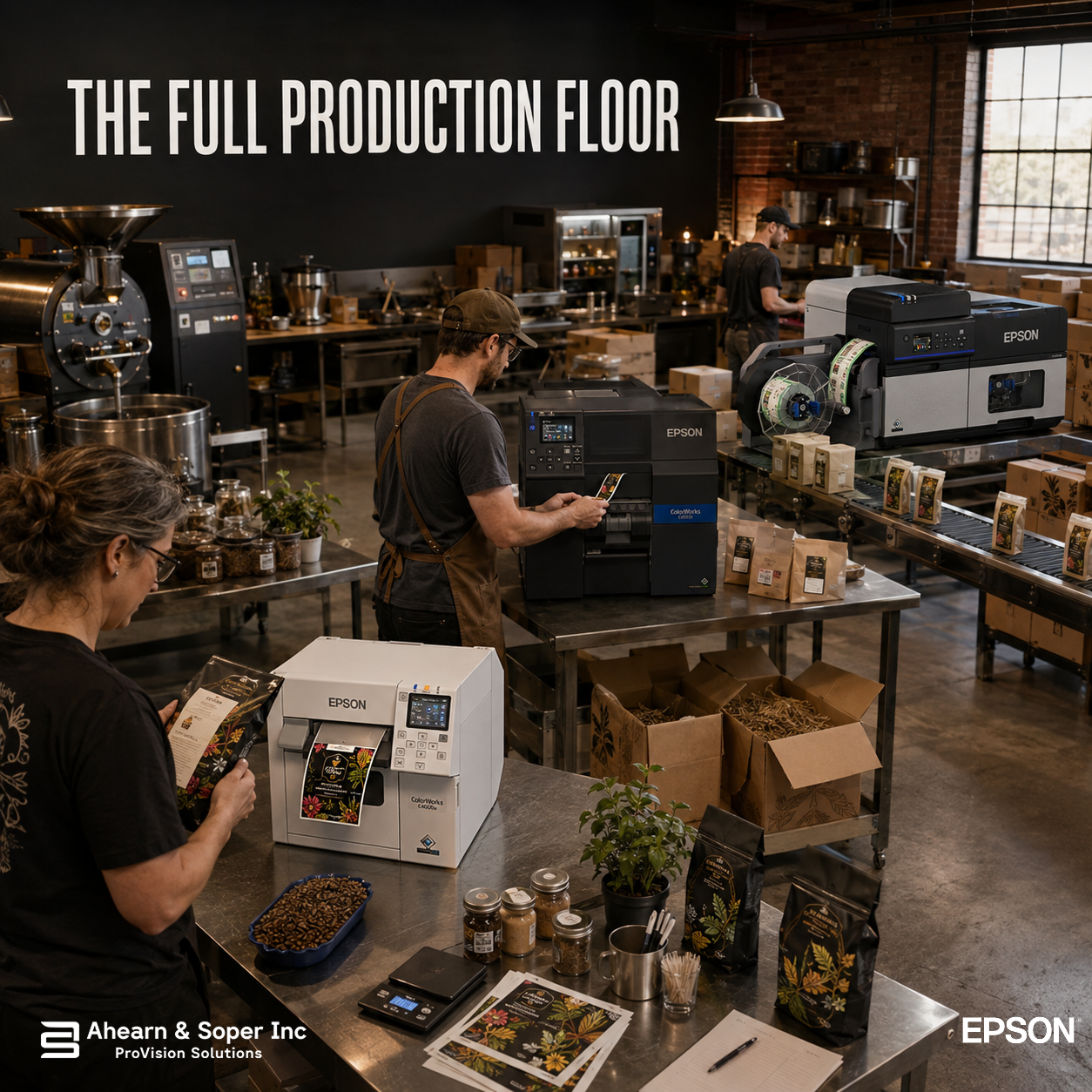
That's not what happened at The Coffee Shop. A year into this journey, all three printers are still running, not as a hardware graveyard of outgrown equipment, but as three purpose-built stations doing three different jobs, on the same production floor, on the same day. The upgrade path wasn't a straight line after all. It was a fleet forming.
It's tempting to think of a C8000 as simply a faster, better version of a C4000 so once you have one, why keep the other around? The answer shows up the moment you look at what each machine is optimized for, not just how fast it prints.
The C4000 is built for controlled, office-like settings with a compact desktop footprint, exactly the environment for quick, low-commitment experimentation, not the environment you'd want tying up a 12-inch-per-second industrial printer built for continuous batch runs. Using the C8000 for a 20bag test roast would work, technically. It would also mean interrupting a grocery-chain production run to do it, and running an industrial machine at a fraction of the volume it's built for. Keeping the C4000 in service isn't sentimentality, it's the right tool sized correctly for a job that hasn't changed since the first post in this series.
CW-C4000, R&D and one-offs. This is where new ideas get tested before they earn a place in the regular rotation: an experimental roast profile, a one-off collaboration bag for a local brewery, a farmers-market exclusive that might sell 40 units and never be printed again. Sized for 500-2,000 labels a day, it's more than enough for work that's inherently unpredictable and low-volume by nature and its low footprint keeps it out of the way of the higher-volume machines actually running production.
CW-C6000, the daily workhorse. Wholesale café accounts and the subscription box both need something the C4000 was never meant to carry at scale: consistent, moderate-volume output with variable data running through it every single day. Built for 2,000-5,000 labels a day, the C6000 handles this reliably without the overhead, physical footprint, ink system, cost of the industrial-tier machine sitting a few feet away.
CW-C8000, grocery-chain volume and case-level labeling. Reserved for the highest-stakes, highest-volume work: the 60-store restock cycle and the case-level labeling that goes with shipping at that scale. Built for 10,000-plus labels a day with 24/7-capable construction, it's the machine that can't be interrupted by a batch of test labels or a wholesale café's weekly reorder, those belong on the machines built for them.
There's a version of this story where The Coffee Shop buys one very capable printer and runs everything through it. That version has real costs the fleet approach avoids:
No single point of failure. If the C8000 needs service, even routine maintenance the grocery account's volume is the only thing affected. Wholesale, subscription, and R&D work keep moving on the other two machines. A single-printer operation would have every product line waiting on one repair ticket.
No queue competition. A 40-bag test batch never has to wait behind a 4,000-unit grocery restock, and the grocery batch never gets slowed down by someone testing a new roast profile mid-shift. Each machine's queue only contains work that belongs at that scale.
Right-sized cost per job. Total cost of ownership calculations should account for ink consumption, media costs, and labor savings from faster models, not just sticker price, and that logic cuts both ways: running small, unpredictable jobs on the industrial machine wastes its throughput advantage, while running high-volume grocery batches on a compact desktop printer would create exactly the bottleneck this series has spent ten posts describing how to avoid.
None of this would work if each printer required its own separate system to manage. It doesn't. All ColorWorks models support the same standard label design software and integrate with the same ERP and inventory systems, which means the variable-data templates, roast-date fields, and compliance text built up over a year of growth apply identically whether they're printing on the C4000 for a farmers-market exclusive or the C8000 for a grocery restock. The packing team isn't managing three different systems, they're managing one system with three different output speeds available, and routing work to whichever one fits.
That consistency is what makes the fleet model work. Specialization only pays off if switching between machines doesn't mean relearning how to use them.
The upgrade path this series has followed, C4000 to C6000 to C8000, was never about replacing a printer that had become inadequate. It was about a production floor gradually discovering that different kinds of work genuinely need different tools, and that the earlier tools didn't stop being useful once a bigger one arrived. A grocery chain account needs a machine built for 24/7 reliability. A one-off collaboration bag needs a machine that doesn't make a 40-unit test run feel like a waste of industrial capacity. Both of those needs are permanent parts of a growing roastery's business, not phases it grows out of.
Ahearn & Soper Inc's production analysis is built to assess volume and growth trajectory together, and for a business like The Coffee Shop, the honest answer to "which printer do you need" turned out to be "more than one," each one earning its place by doing a specific job well rather than being replaced by whatever came next.
Wondering whether your growing operation needs one bigger printer, or a few right-sized ones working together? Talk to our team about what a multi-printer production floor could look like for your business.
Browse more practical insights connected to warehouse management, automation, labelling, mobility, and support.